THE MRGI APPLICATION DIRECTORY

Find your focus.
Follow the possibilities.

15 specialist applications. Each with a purpose of its own.
Explore the tools, the proposed capabilities, and the way they connect.

IN FOCUS / DOCUMENTS & DATA

The evidence workflow.

From an approved data snapshot to a report and a reviewable evidence packet. Meet the first connected product direction.

Explore MRGI Evidence ↗

Explore the applications

All products are in development. Images are AI-generated interface concepts; names and features may evolve.

15 applications
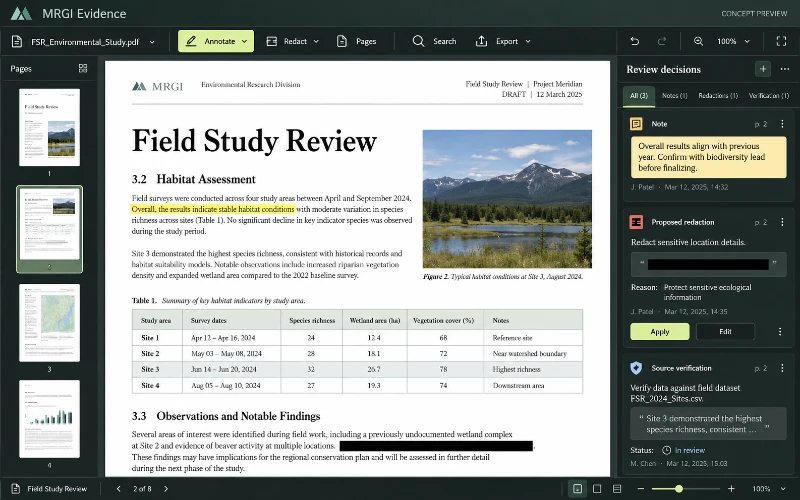
Concept image of MRGI Evidence with a PDF page, page thumbnails, annotation tools, and a review sidebar.CONCEPT PREVIEW
COMING SOON

PDF editing & review

MRGI Evidence

Read, annotate, organize, and redact PDFs. Assemble reviewed documents and their sources into a verifiable evidence packet.

  • Annotate and organize PDF pages
  • Review redactions and supporting sources
  • Assemble evidence and distribution packets
Explore application
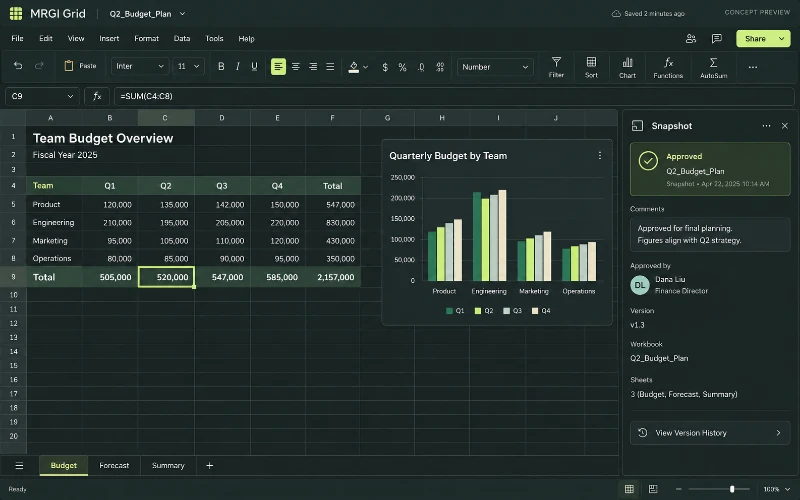
Concept image of MRGI Grid showing a spreadsheet, formula bar, budget chart, worksheet tabs, and an approved snapshot panel.CONCEPT PREVIEW
COMING SOON

Spreadsheets & calculations

MRGI Grid

Build spreadsheets with formulas, tables, and charts. Review calculations and share approved data snapshots with reports and presentations.

  • Calculate with spreadsheet formulas
  • Turn tables into charts
  • Publish reviewed data snapshots
Explore application
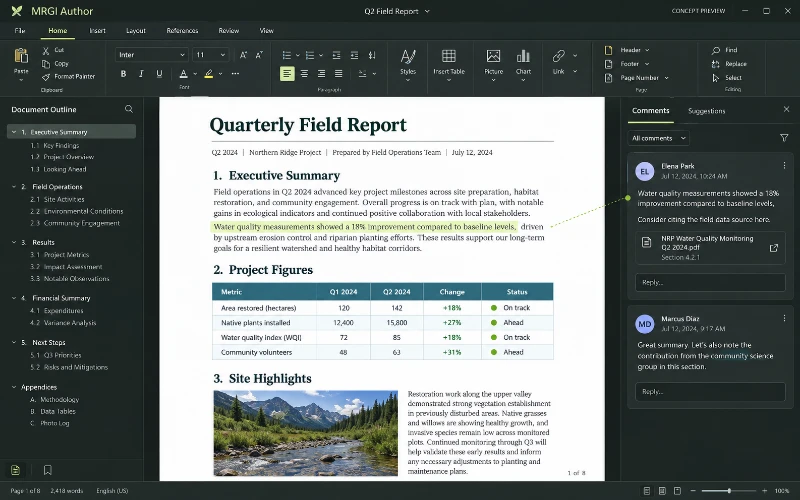
Concept image of MRGI Author showing a formatted document with paragraphs, a table, an embedded photo, a formatting ribbon, and reviewer comments.CONCEPT PREVIEW
COMING SOON

Word processing

MRGI Author

Write and format documents with headings, tables, images, comments, and revisions. Link report content to reviewed data and source documents.

  • Write and format documents and reports
  • Insert tables, images, and references
  • Review comments and track revisions
Explore application
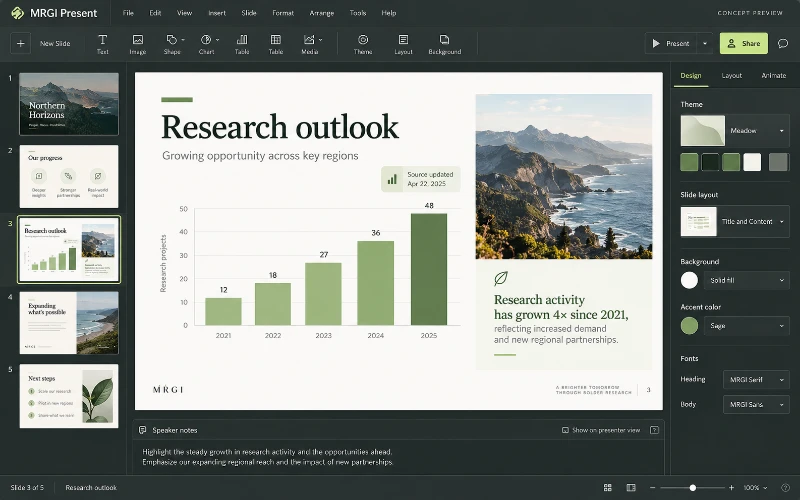
Concept image of MRGI Present with slide thumbnails, a large chart slide, speaker notes, and theme controls.CONCEPT PREVIEW
COMING SOON

Slide presentations

MRGI Present

Design presentations with slide layouts, text, images, charts, and speaker notes. Refresh approved source data while preserving your chosen edits.

  • Design and arrange presentation slides
  • Add charts, images, and speaker notes
  • Review updates from linked reports and data
Explore application
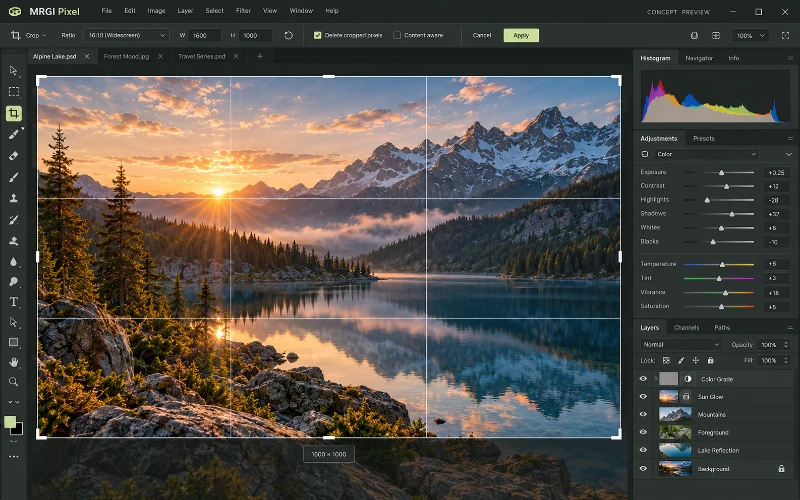
Concept image of MRGI Pixel editing a mountain-lake photograph with crop guides, image tools, color adjustments, and a layer stack.CONCEPT PREVIEW
COMING SOON

Photo & image editing

MRGI Pixel

Crop and retouch photos, combine layers and masks, and adjust color and lighting. Prepare consistent image variations for campaigns and publishing.

  • Crop, retouch, and adjust photographs
  • Combine image layers and masks
  • Produce variations for different placements
Explore application
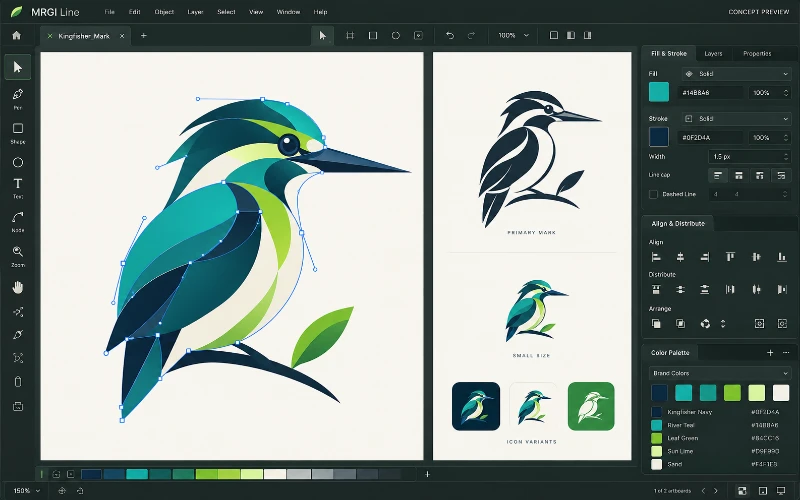
Concept image of MRGI Line editing a vector bird illustration with Bézier handles, artboards, fill and stroke controls, and brand swatches.CONCEPT PREVIEW
COMING SOON

Vector illustration

MRGI Line

Create logos, icons, and illustrations with paths, shapes, and editable curves. Organize brand colors and prepare assets for print and screen.

  • Draw logos, icons, and illustrations
  • Refine paths, shapes, and curves
  • Release consistent brand asset packages
Explore application
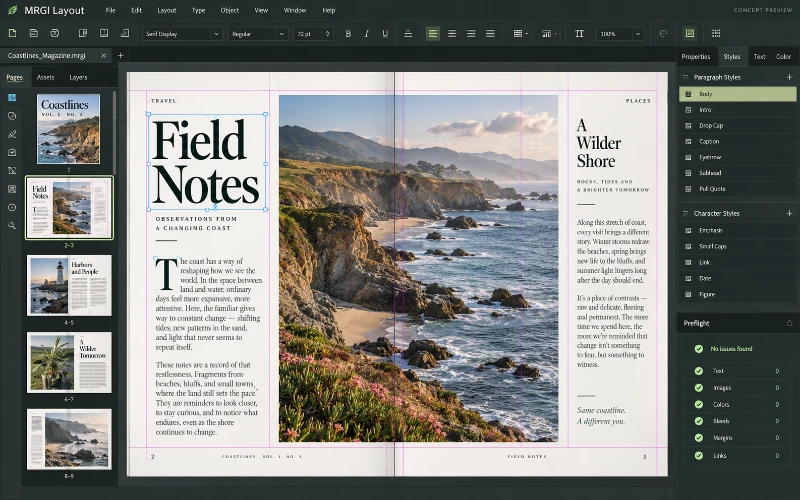
Concept image of MRGI Layout displaying a two-page magazine spread with a coastal photo, text columns, page guides, and paragraph styles.CONCEPT PREVIEW
COMING SOON

Page layout & publishing

MRGI Layout

Design magazines, brochures, catalogs, and other page-based documents. Arrange typography and images, then populate reusable layouts with approved data.

  • Design magazines, brochures, and catalogs
  • Arrange text and images across pages
  • Build reusable layouts for publication runs
Explore application
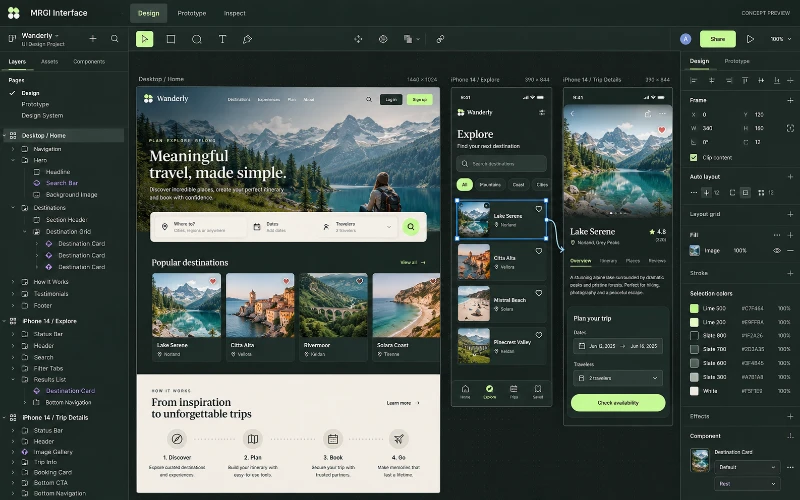
Concept image of MRGI Interface with desktop and mobile interface artboards, prototype connections, a layer tree, and component properties.CONCEPT PREVIEW
COMING SOON

UI design & prototyping

MRGI Interface

Design web and mobile interfaces with frames, components, and prototypes. Document interaction states and prepare a reviewed engineering handoff.

  • Design web and mobile screens
  • Create reusable components and prototypes
  • Prepare specifications for engineering
Explore application
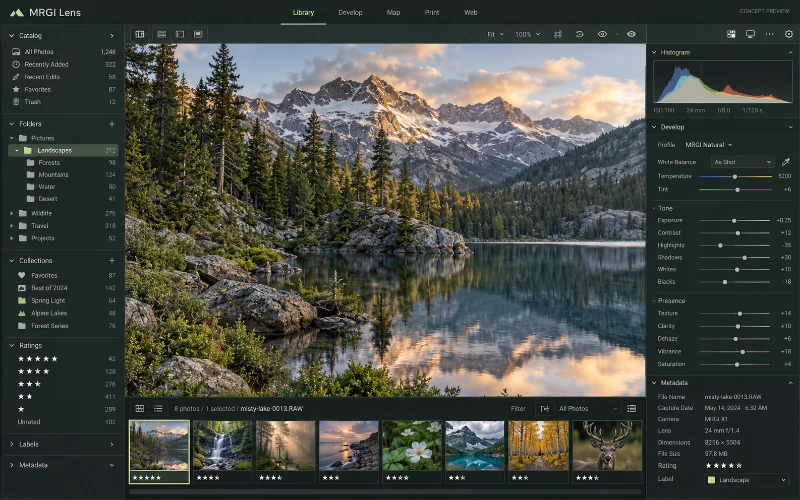
Concept image of MRGI Lens showing a mountain-lake photograph, photo filmstrip, collections sidebar, histogram, and RAW adjustment sliders.CONCEPT PREVIEW
COMING SOON

Photo library & RAW editing

MRGI Lens

Browse and organize photo collections, develop RAW images, and manage metadata. Review usage context before distributing selected images.

  • Catalog and browse photo collections
  • Develop RAW photos and adjust tone
  • Review metadata and recorded usage scope
Explore application
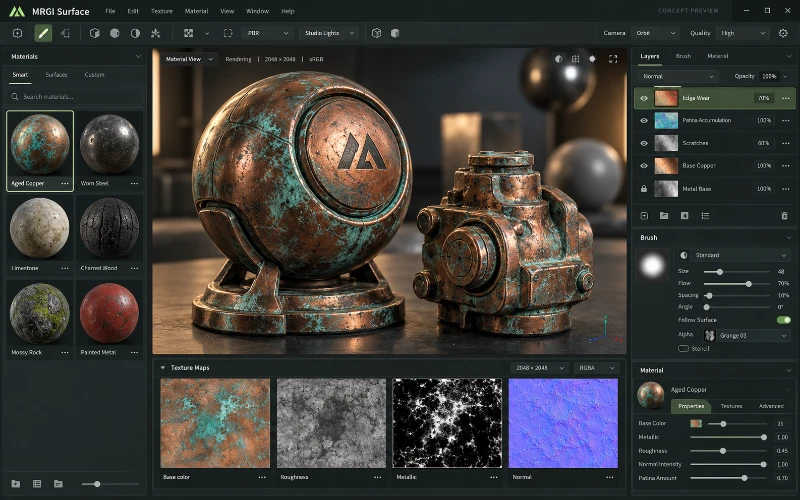
Concept image of MRGI Surface displaying weathered copper objects, material thumbnails, paint layers, and base-color, roughness, metallic, and normal maps.CONCEPT PREVIEW
COMING SOON

3D materials & texture painting

MRGI Surface

Build and paint materials for 3D objects using texture layers and PBR maps. Inspect surface properties and prepare target-specific material packages.

  • Paint and layer materials for 3D objects
  • Inspect PBR texture maps and surface response
  • Prepare material handoffs for target engines
Explore application
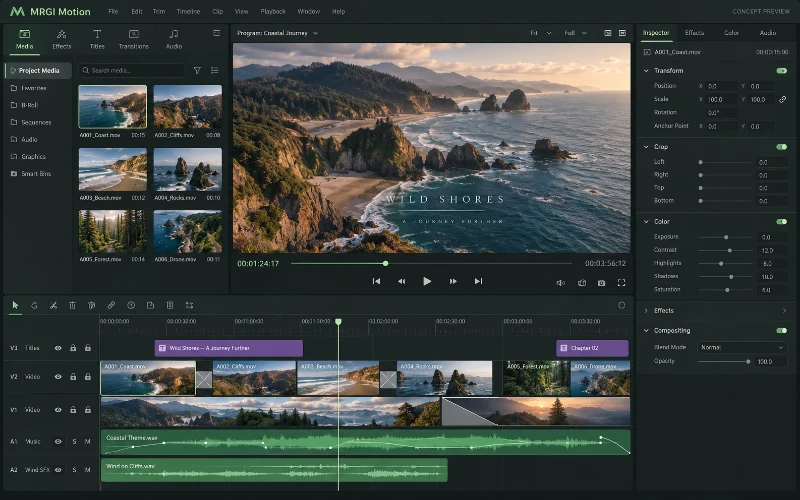
Concept image of MRGI Motion with a coastal video preview, media bin, multitrack clip timeline, audio waveforms, and editing controls.CONCEPT PREVIEW
COMING SOON

Video editing

MRGI Motion

Arrange video clips and audio on a multitrack timeline. Add transitions, adjust the picture, and prepare reviewed deliveries for different formats.

  • Arrange and trim video clips
  • Mix audio and refine the picture
  • Prepare reviewed multi-format deliveries
Explore application
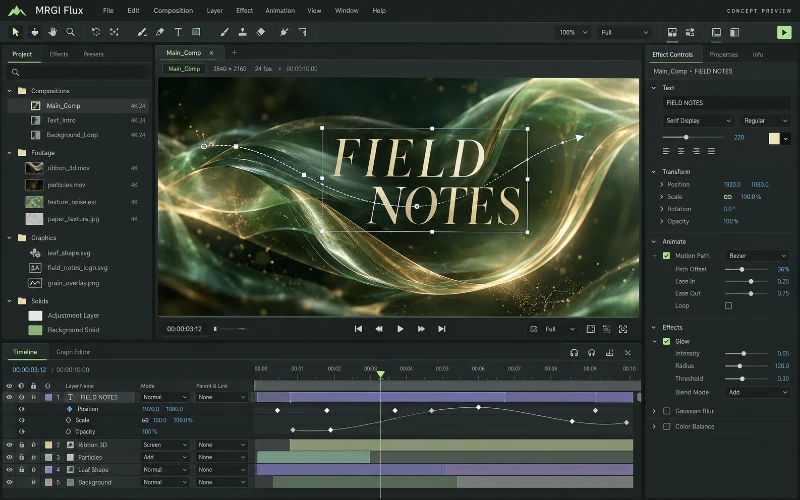
Concept image of MRGI Flux with an animated title composition, motion path, layered keyframe timeline, and effect controls.CONCEPT PREVIEW
COMING SOON

Motion graphics & compositing

MRGI Flux

Animate text, shapes, and effects with layers and keyframes. Build reusable motion templates whose content can come from approved datasets.

  • Animate titles, shapes, and effects
  • Compose layered motion graphics
  • Connect templates to reviewed content and data
Explore application
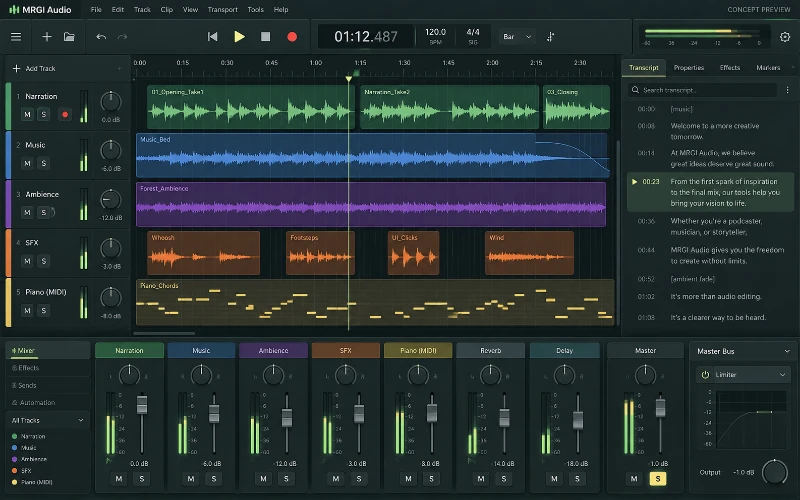
Concept image of MRGI Audio showing multitrack waveforms, MIDI blocks, transport controls, mixer faders, and a timestamped transcript.CONCEPT PREVIEW
COMING SOON

Audio editing & mixing

MRGI Audio

Record, arrange, edit, and mix audio tracks with effects and automation. Connect production work to transcripts, language versions, and usage records.

  • Arrange and edit multitrack audio
  • Mix levels and apply audio processing
  • Coordinate transcripts and language versions
Explore application
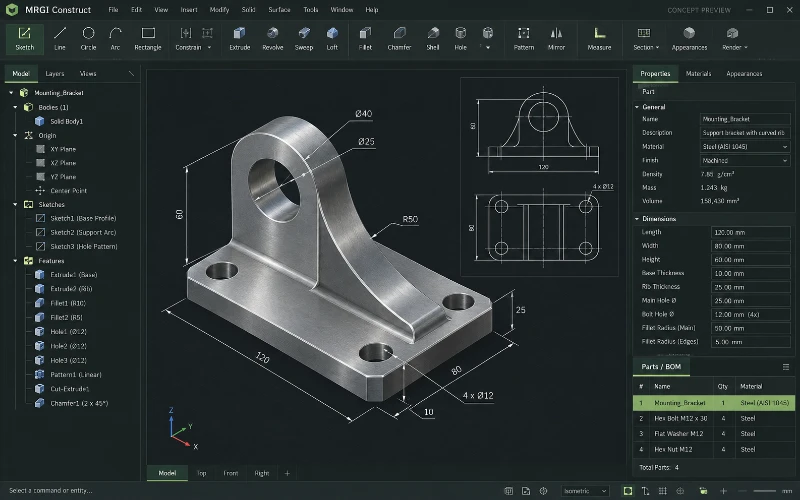
Concept image of MRGI Construct displaying a dimensioned mechanical bracket, orthographic drawing, feature tree, and parts properties.CONCEPT PREVIEW
COMING SOON

2D & 3D CAD

MRGI Construct

Create technical drawings and 3D designs with dimensions and constraints. Connect reviewed design revisions to parts lists, estimates, and production checks.

  • Create technical drawings and 3D designs
  • Inspect dimensions, constraints, and parts
  • Review bills of materials and design changes
Explore application
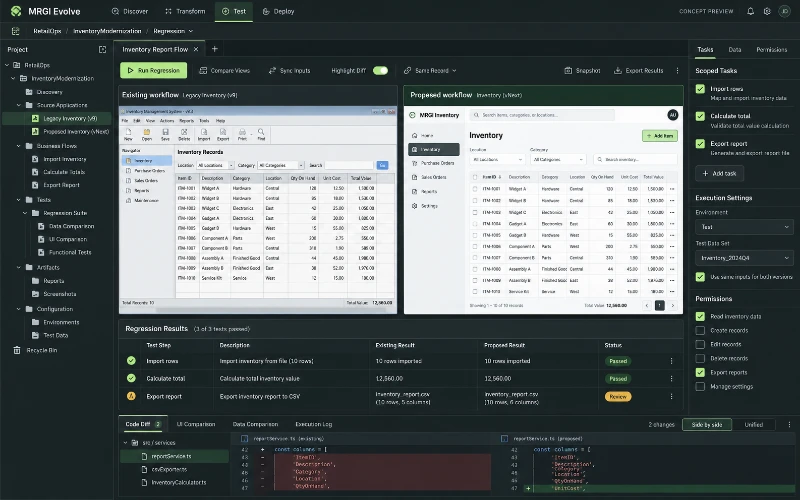
Concept image of MRGI Evolve comparing an existing and proposed application, with project files, scoped tasks, and regression results.CONCEPT PREVIEW
COMING SOON

Application modernization

MRGI Evolve

Assess applications you are authorized to modify, compare existing and proposed behavior, and review modernization changes against regression evidence.

  • Inspect authorized application workflows
  • Prepare modernization changes for review
  • Compare expected and observed behavior
Explore application