
Validation against the target
Plan checks for expected channels, ranges, sizes, and packing conventions before an asset enters the destination pipeline.
MRGI SURFACE / 3D MATERIALS & TEXTURE PAINTING
COMING SOONBuild and paint materials for 3D objects using texture layers and PBR maps. Inspect surface properties and prepare target-specific material packages.
For material artists and technical teams producing assets for interactive worlds.
Try the interactive demo Browse all 15 appsMEET THE WORKSPACE
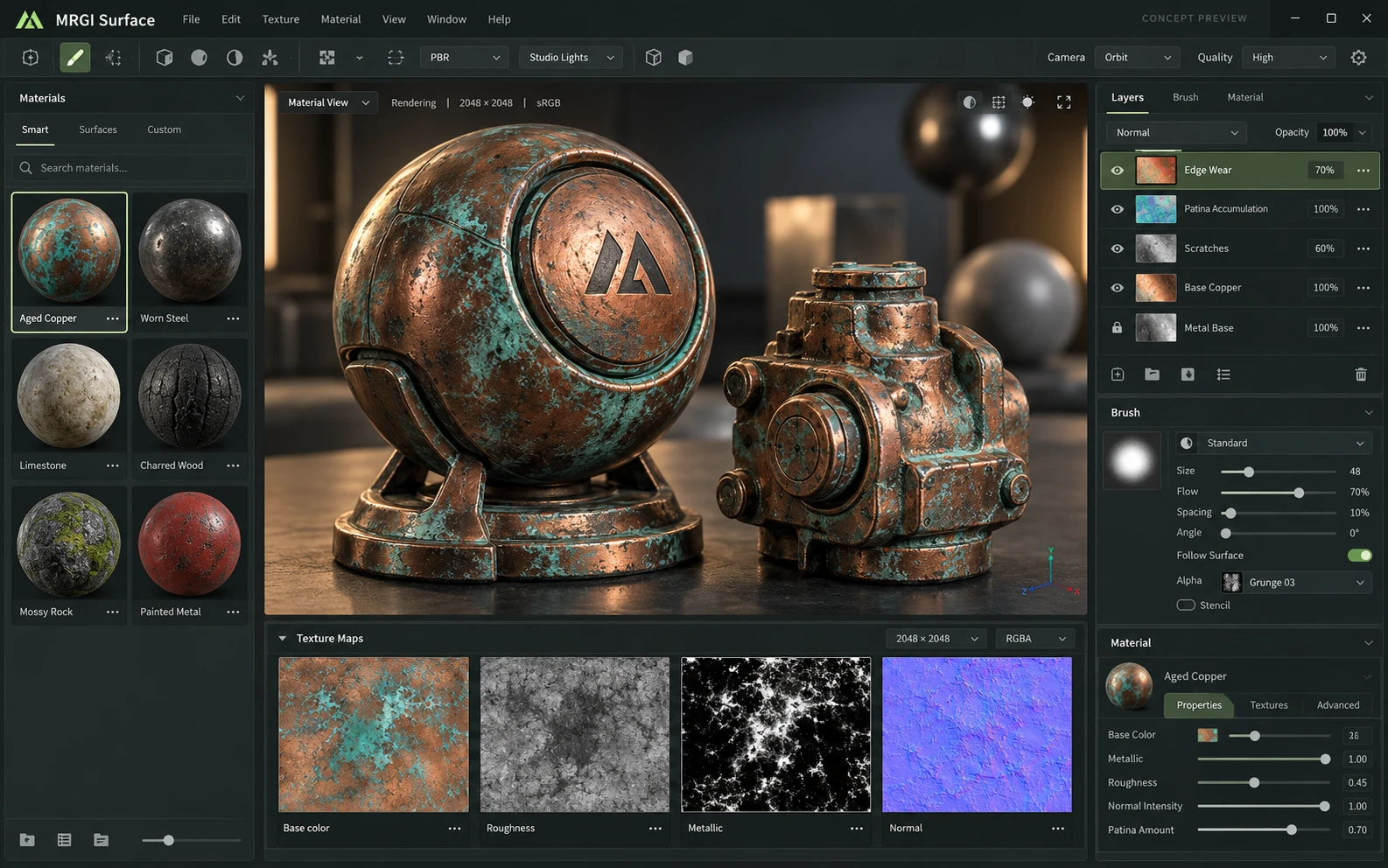
A 3D material workspace with a shaded object, a material library, paint layers, and the texture maps that define surface appearance.
Proposed design with synthetic content. This is not a released application; features and appearance may change.
EXPLORE THE IDEA / HANDS ON
Adjust roughness, metalness, lighting, and model shape in a live Three.js scene. Inspect the recipe values beside the result.
Adjust roughness, metalness, lighting, and model shape in a live Three.js scene. Inspect the recipe values beside the result.
Synthetic inputs. Local computation. No uploads.The geometry and lighting are generated locally. This is a small material viewer, not TextureCraft painting, GPU baking, or a certified engine export.
Read the full Surface workflow guidePROPOSED AUTOMATION RECIPE
Pair materials with Construct asset references and include validation reports in an Evidence packet.
Build and inspect the material layers.
Check maps against the destination requirements.
Export the package and its validation record.
Original interface mockup with synthetic content. This is a design concept, not a screenshot of a released application. Switch views to explore the proposed workflow.
01 / THE WORK BEHIND THE WORK
A material that looks right in one viewport can fail in the next engine. Surface is being designed to make packing conventions, target expectations, and validation results part of the material handoff.
The source foundation is imported. Validation adapters and game-engine/WebXR acceptance testing are planned; target compatibility is not yet guaranteed.
02 / THE PLANNED TOOLKIT
The intended Surface experience.
Feature availability will be confirmed before release.
A CLOSER LOOK / FEATURE DESIGN
Explore the behavior behind the feature names: what the product would do, and what the reviewer would still need to decide.
Make the target assumptions explicit and distinguish material appearance from package validity.
03 / THE MRGI DIRECTION
Three product-specific priorities shaping the proposed MRGI experience.
Plan checks for expected channels, ranges, sizes, and packing conventions before an asset enters the destination pipeline.
Keep the material version and target settings together, making reruns and issue diagnosis easier across teams.
Include the validation findings alongside exported maps so downstream artists understand what was checked and what still needs review.
These are development goals, not claims of shipped features or market exclusivity. AI, local operation, and automation are shared foundations—not the entire product distinction.
04 / BETTER CONNECTED
Pair materials with Construct asset references and include validation reports in an Evidence packet.
Build and inspect the material layers.
Check maps against the destination requirements.
Export the package and its validation record.
Proposed assistance can flag inconsistent maps or suggest material adjustments. Target validation and visual acceptance remain separate review steps.
Cross-app access is planned around selected resources and explicit consent. Ordinary local editing should not require uploading your files.
 CONCEPT PREVIEW
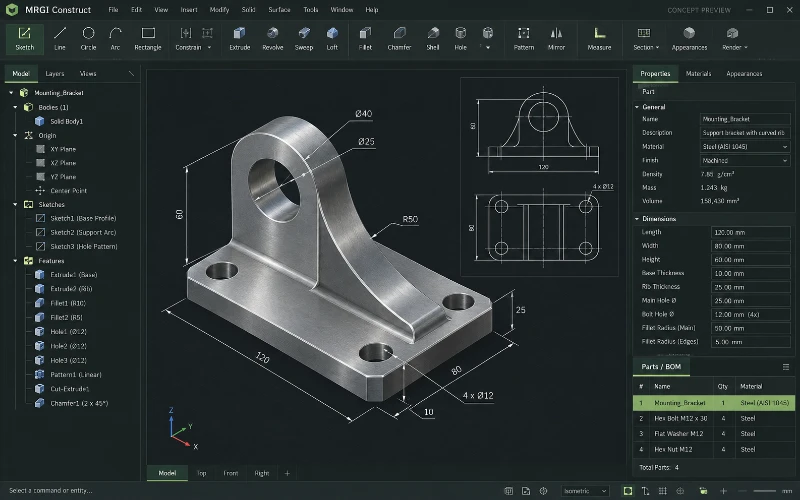
2D & 3D CAD
Create technical drawings and 3D designs with dimensions and constraints. Connect reviewed design revisions to parts lists, estimates, and production checks.
 CONCEPT PREVIEW
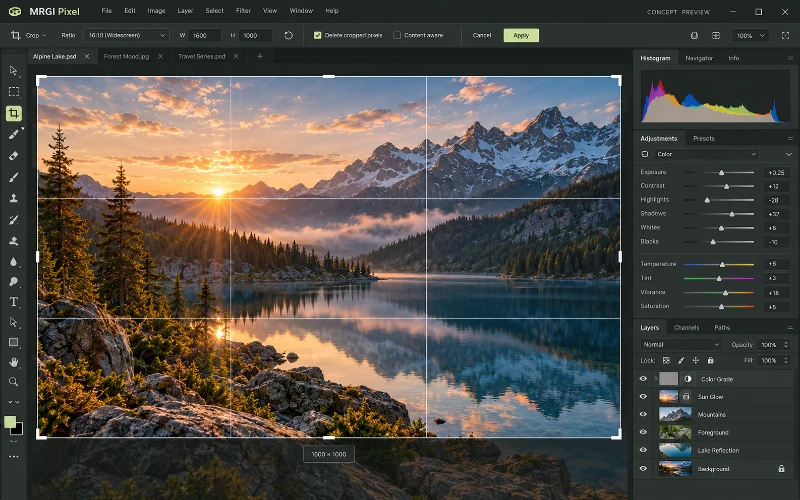
Photo & image editing
Crop and retouch photos, combine layers and masks, and adjust color and lighting. Prepare consistent image variations for campaigns and publishing.
 CONCEPT PREVIEW
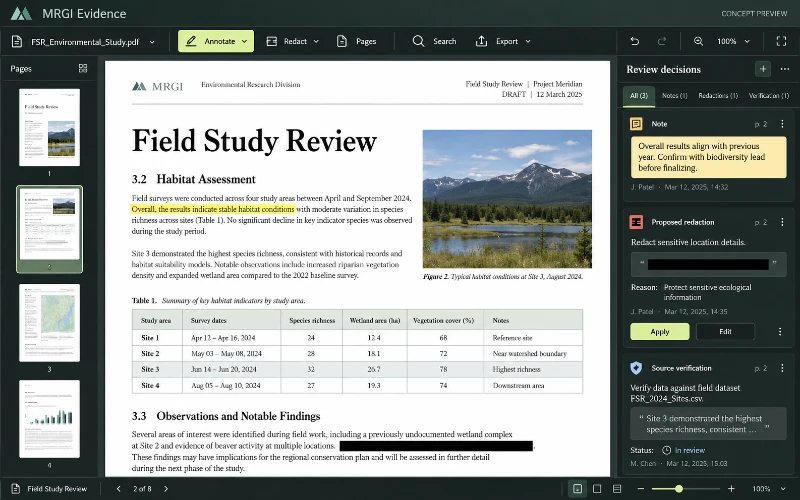
PDF editing & review
Read, annotate, organize, and redact PDFs. Assemble reviewed documents and their sources into a verifiable evidence packet.
BUILT ON OPEN-SOURCE FOUNDATIONS
Layered PBR painting, GPU baking, and packed engine export templates exist in TextureCraft. Reproducible QA evidence is the proposed MRGI extension. Read the source credits ↗
MRGI SURFACE / COMING SOON
Explore the suite today. Availability and pricing will follow.