
Bindings with clear limits
Describe permitted inputs and ranges for a template. Flag missing content or oversized values before the animation reaches delivery.
MRGI FLUX / MOTION GRAPHICS & COMPOSITING
COMING SOONAnimate text, shapes, and effects with layers and keyframes. Build reusable motion templates whose content can come from approved datasets.
For motion designers producing repeatable graphics from changing approved content.
Try the interactive demo Browse all 15 appsMEET THE WORKSPACE
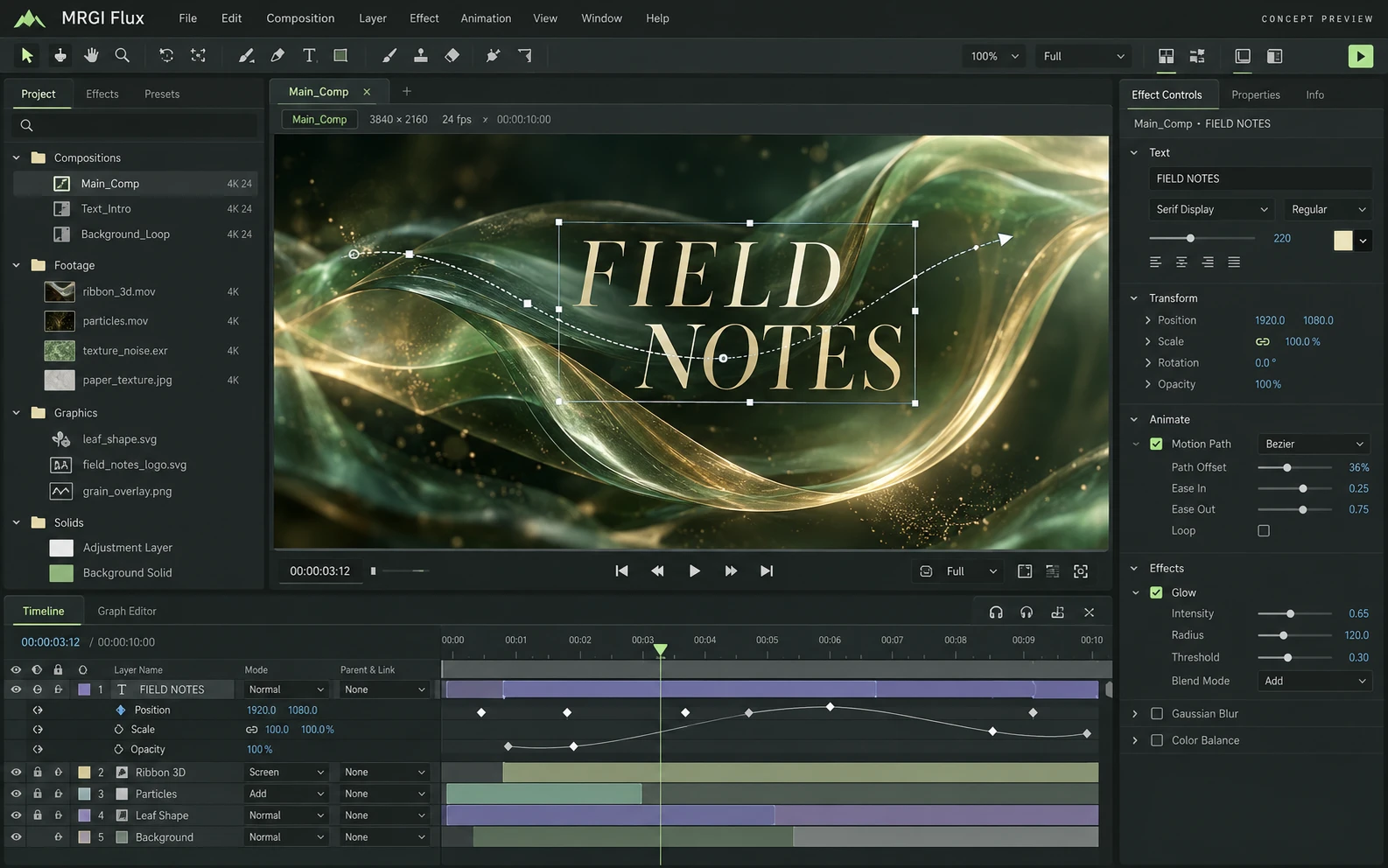
A motion graphics workspace with a composition viewer, editable visual layers, keyframes, motion paths, and effect parameters.
Proposed design with synthetic content. This is not a released application; features and appearance may change.
EXPLORE THE IDEA / HANDS ON
Adjust a sample metric and scrub its animation progress to see a data-bound graphic update deterministically.
Adjust a sample metric and scrub its animation progress to see a data-bound graphic update deterministically.
Synthetic inputs. Local computation. No uploads.This is a local canvas visualization. It does not execute EffectCraft compositions or render video files.
Read the full Flux workflow guidePROPOSED AUTOMATION RECIPE
Use approved Grid data and Line brand tokens to prepare graphics for Motion delivery.
Create the motion template and allowed fields.
Select the approved dataset and validate values.
Review the recipe and retain the production record.
Original interface mockup with synthetic content. This is a design concept, not a screenshot of a released application. Switch views to explore the proposed workflow.
01 / THE WORK BEHIND THE WORK
Dynamic graphics need more than a spreadsheet connection. Flux is being designed to define which values may change, how they fit the template, and what must be reviewed before a render becomes a deliverable.
The source foundation is imported. Dataset constraints, render records, and the pictured production interface are planned.
02 / THE PLANNED TOOLKIT
The intended Flux experience.
Feature availability will be confirmed before release.
A CLOSER LOOK / FEATURE DESIGN
Explore the behavior behind the feature names: what the product would do, and what the reviewer would still need to decide.
Use approved numbers in repeatable graphics while keeping data and creative exceptions visible.
03 / THE MRGI DIRECTION
Three product-specific priorities shaping the proposed MRGI experience.
Describe permitted inputs and ranges for a template. Flag missing content or oversized values before the animation reaches delivery.
Record the template, dataset snapshot, and render settings so the team can explain and reproduce a particular output.
Plan validation for text fit, required assets, and timing constraints across a family of graphics, with reviewable exceptions.
These are development goals, not claims of shipped features or market exclusivity. AI, local operation, and automation are shared foundations—not the entire product distinction.
04 / BETTER CONNECTED
Use approved Grid data and Line brand tokens to prepare graphics for Motion delivery.
Create the motion template and allowed fields.
Select the approved dataset and validate values.
Review the recipe and retain the production record.
Planned assistance can propose animation variations or diagnose template exceptions. Only reviewed bindings should reach the production render.
Cross-app access is planned around selected resources and explicit consent. Ordinary local editing should not require uploading your files.
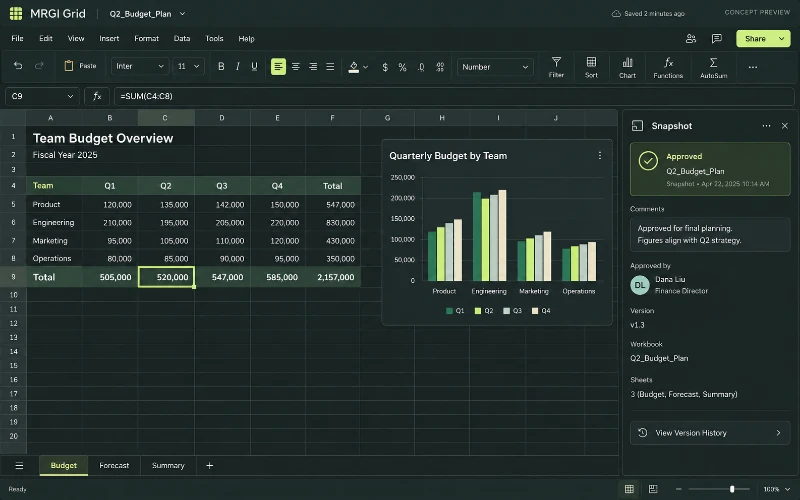 CONCEPT PREVIEW
Spreadsheets & calculations
Build spreadsheets with formulas, tables, and charts. Review calculations and share approved data snapshots with reports and presentations.
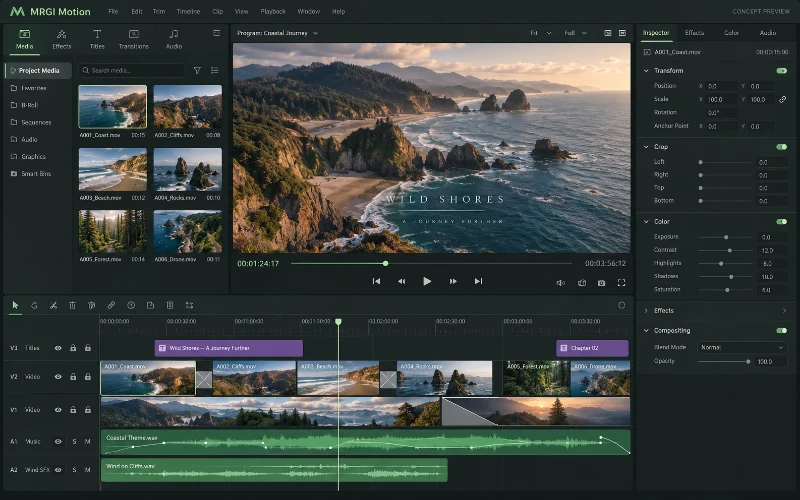 CONCEPT PREVIEW
Video editing
Arrange video clips and audio on a multitrack timeline. Add transitions, adjust the picture, and prepare reviewed deliveries for different formats.
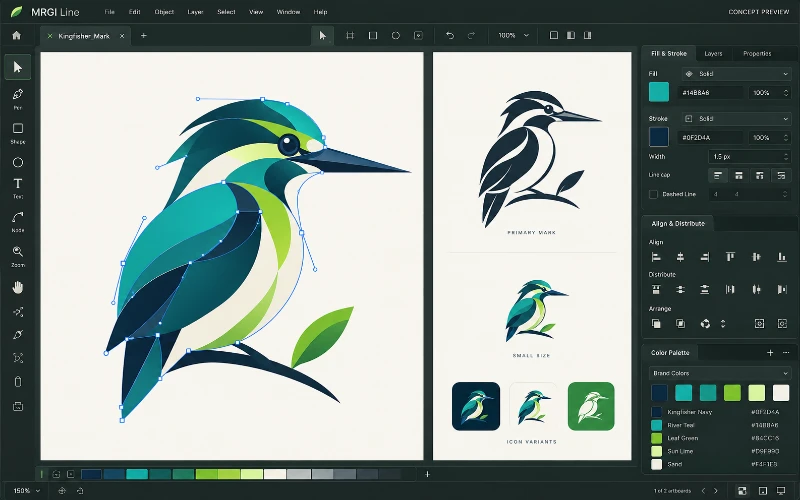 CONCEPT PREVIEW
Vector illustration
Create logos, icons, and illustrations with paths, shapes, and editable curves. Organize brand colors and prepare assets for print and screen.
BUILT ON OPEN-SOURCE FOUNDATIONS
Compositions, keyframes, expressions, rendering/export, and automation exist in EffectCraft. Approved-data production governance is the proposed MRGI focus. Read the source credits ↗
MRGI FLUX / COMING SOON
Explore the suite today. Availability and pricing will follow.