
Tokens and assets released together
Keep the palette, reusable elements, and generated files tied to one reviewed brand version instead of scattered folders.
MRGI LINE / VECTOR ILLUSTRATION
COMING SOONCreate logos, icons, and illustrations with paths, shapes, and editable curves. Organize brand colors and prepare assets for print and screen.
For designers and brand owners maintaining assets across teams and channels.
Try the interactive demo Browse all 15 appsMEET THE WORKSPACE
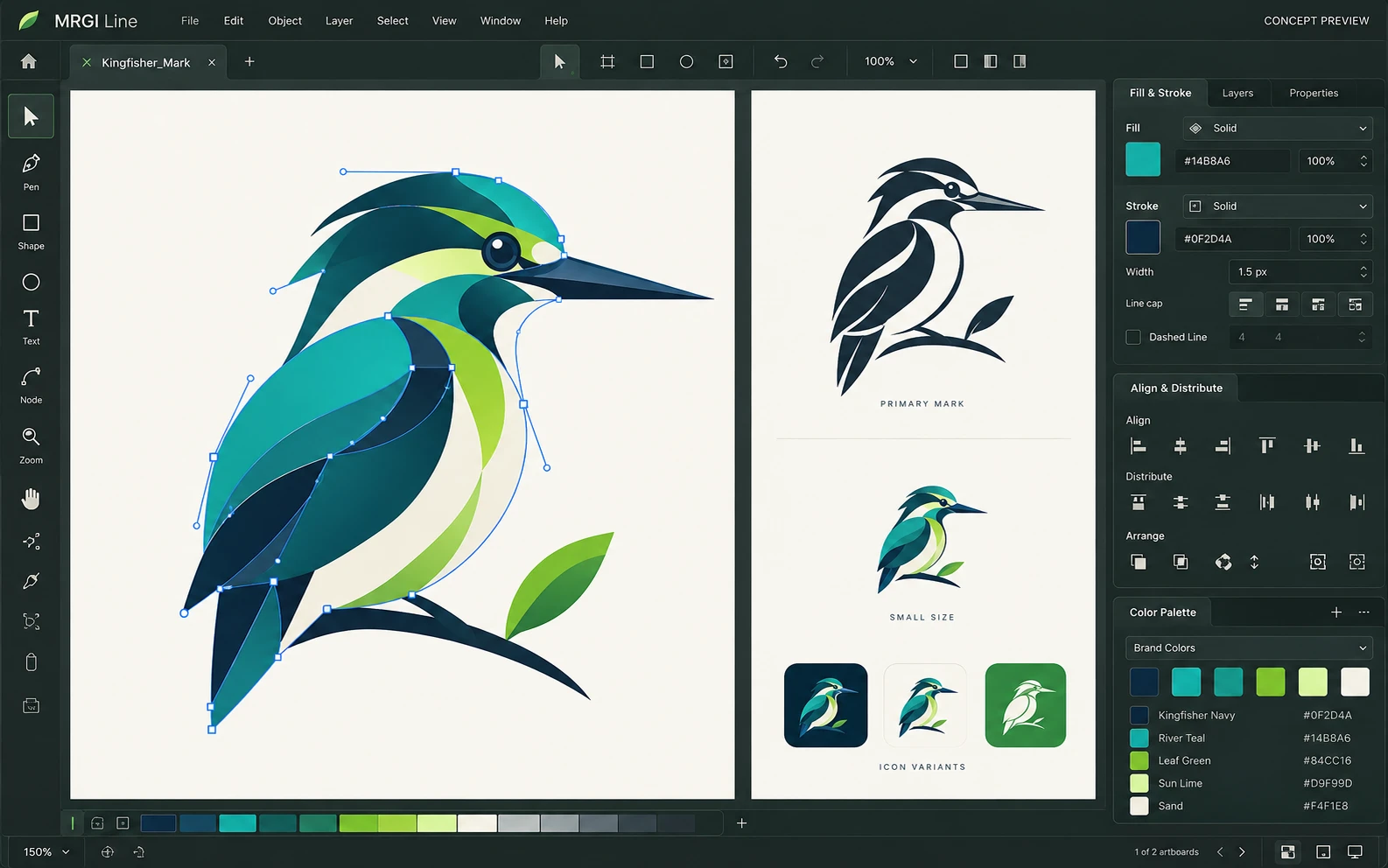
A vector drawing workspace with editable paths and anchor points, multiple artboards, and shared fill, stroke, and brand-color controls.
Proposed design with synthetic content. This is not a released application; features and appearance may change.
EXPLORE THE IDEA / HANDS ON
Choose an original palette and watch a vector mark, sample label, and token listing stay in sync.
Choose an original palette and watch a vector mark, sample label, and token listing stay in sync.
Synthetic inputs. Local computation. No uploads.The demo applies local color tokens to a synthetic brand package. It does not edit upstream vector files or check trademark availability.
Read the full Line workflow guidePROPOSED AUTOMATION RECIPE
Publish an approved brand package to Pixel, Layout, and Interface for consistent reuse.
Create the mark, symbols, and token set.
Generate assets for the intended channels.
Review a versioned package for downstream use.
Original interface mockup with synthetic content. This is a design concept, not a screenshot of a released application. Switch views to explore the proposed workflow.
01 / THE WORK BEHIND THE WORK
A folder of logos does not explain which colors, exports, or versions belong together. Line is being designed to turn a vector project into an approved brand package that other teams can use consistently.
The source foundation is imported. Brand package approvals and the connected release interface are planned.
02 / THE PLANNED TOOLKIT
The intended Line experience.
Feature availability will be confirmed before release.
A CLOSER LOOK / FEATURE DESIGN
Explore the behavior behind the feature names: what the product would do, and what the reviewer would still need to decide.
Keep vector marks, palette values, and downstream assets tied to the same approved release.
03 / THE MRGI DIRECTION
Three product-specific priorities shaping the proposed MRGI experience.
Keep the palette, reusable elements, and generated files tied to one reviewed brand version instead of scattered folders.
Make the intended print or screen requirements part of the export recipe and report exceptions before the package is shared.
Let Pixel, Layout, and Interface reference an approved package, then review brand updates rather than silently mixing versions.
These are development goals, not claims of shipped features or market exclusivity. AI, local operation, and automation are shared foundations—not the entire product distinction.
04 / BETTER CONNECTED
Publish an approved brand package to Pixel, Layout, and Interface for consistent reuse.
Create the mark, symbols, and token set.
Generate assets for the intended channels.
Review a versioned package for downstream use.
Planned assistance can propose asset variations or surface inconsistent token use. Brand decisions and release approval remain with the designer.
Cross-app access is planned around selected resources and explicit consent. Ordinary local editing should not require uploading your files.
 CONCEPT PREVIEW
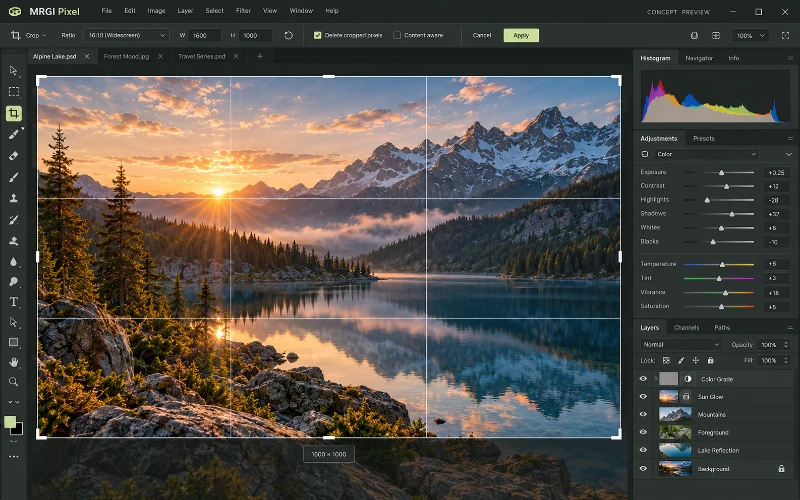
Photo & image editing
Crop and retouch photos, combine layers and masks, and adjust color and lighting. Prepare consistent image variations for campaigns and publishing.
 CONCEPT PREVIEW
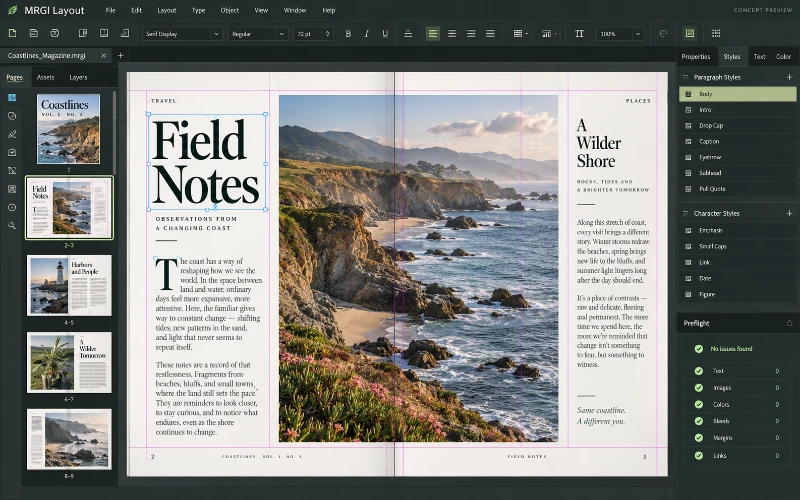
Page layout & publishing
Design magazines, brochures, catalogs, and other page-based documents. Arrange typography and images, then populate reusable layouts with approved data.
 CONCEPT PREVIEW
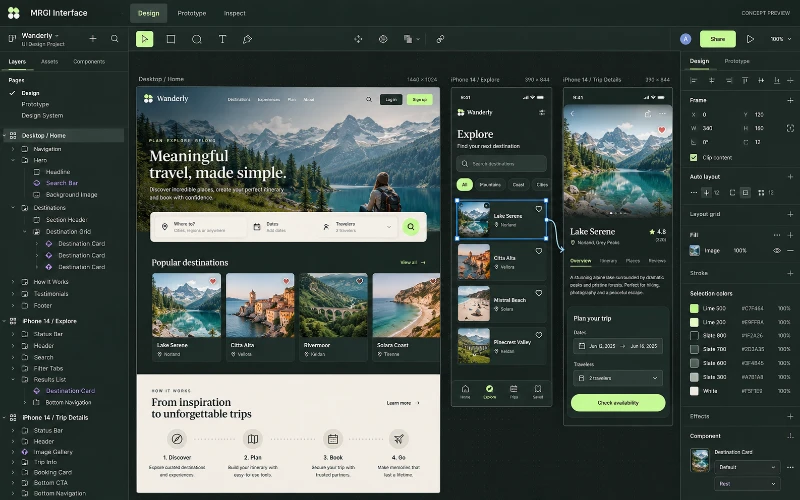
UI design & prototyping
Design web and mobile interfaces with frames, components, and prototypes. Document interaction states and prepare a reviewed engineering handoff.
BUILT ON OPEN-SOURCE FOUNDATIONS
Paths, artboards, symbols, SVG/PDF, and scriptable exports exist in VectorCraft. Versioned brand release governance is the proposed MRGI focus. Read the source credits ↗
MRGI LINE / COMING SOON
Explore the suite today. Availability and pricing will follow.