
The reviewed cut is explicit
Bind a delivery run to the timeline snapshot the team approved, rather than whichever edit happens to be open.
MRGI MOTION / VIDEO EDITING
COMING SOONArrange video clips and audio on a multitrack timeline. Add transitions, adjust the picture, and prepare reviewed deliveries for different formats.
For video teams delivering a project across multiple channels and review cycles.
Try the interactive demo Browse all 15 appsMEET THE WORKSPACE
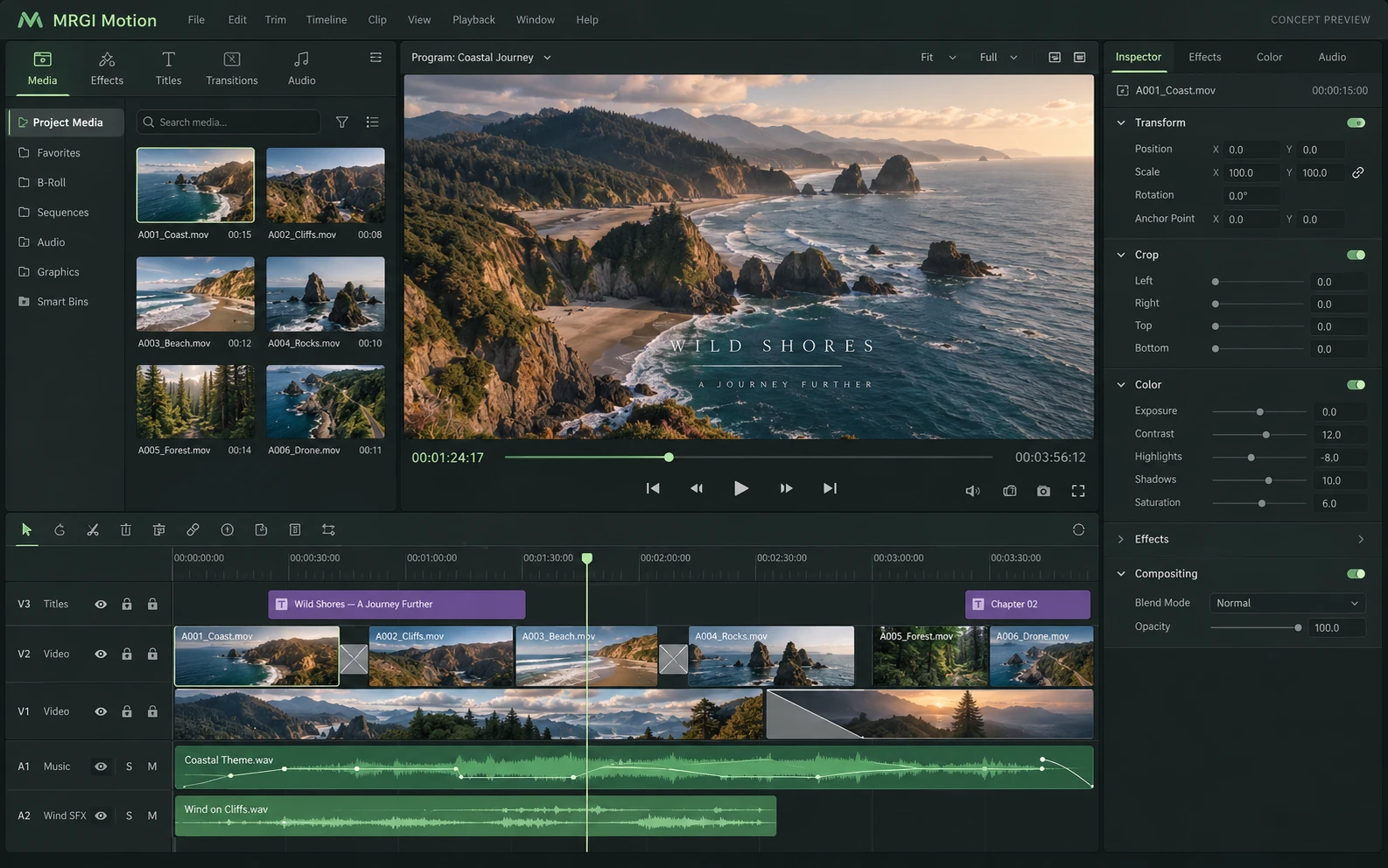
A video editor with a media bin, picture monitor, inspector, and a multitrack timeline for clips, transitions, and audio.
Proposed design with synthetic content. This is not a released application; features and appearance may change.
EXPLORE THE IDEA / HANDS ON
Move through a three-shot timeline and see the active shot, frame counter, and delivery format change.
Move through a three-shot timeline and see the active shot, frame counter, and delivery format change.
Synthetic inputs. Local computation. No uploads.This draws synthetic frames in a canvas. It does not decode video, edit a media file, or produce a rendered movie.
Read the full Motion workflow guidePROPOSED AUTOMATION RECIPE
Combine Audio production and Flux graphics, then preserve delivery decisions in Evidence.
Build the sequence and incorporate review notes.
Choose the timeline snapshot for delivery.
Run the reviewed channel recipes and retain context.
Original interface mockup with synthetic content. This is a design concept, not a screenshot of a released application. Switch views to explore the proposed workflow.
01 / THE WORK BEHIND THE WORK
A final cut becomes many deliverables. Motion is being designed to connect each export to the timeline version, review decision, and delivery settings that produced it, reducing ambiguity when a project changes.
The source foundation is imported. Delivery governance, version comparisons, and the redesigned editor are planned.
02 / THE PLANNED TOOLKIT
The intended Motion experience.
Feature availability will be confirmed before release.
A CLOSER LOOK / FEATURE DESIGN
Explore the behavior behind the feature names: what the product would do, and what the reviewer would still need to decide.
Keep every delivery tied to the approved edit and the correct channel recipe.
03 / THE MRGI DIRECTION
Three product-specific priorities shaping the proposed MRGI experience.
Bind a delivery run to the timeline snapshot the team approved, rather than whichever edit happens to be open.
Keep crop, format, and output settings together for repeatable deliveries. Codec and platform support will need validation per target.
Plan comparison views and review checkpoints that help editors and stakeholders understand the differences between versions.
These are development goals, not claims of shipped features or market exclusivity. AI, local operation, and automation are shared foundations—not the entire product distinction.
04 / BETTER CONNECTED
Combine Audio production and Flux graphics, then preserve delivery decisions in Evidence.
Build the sequence and incorporate review notes.
Choose the timeline snapshot for delivery.
Run the reviewed channel recipes and retain context.
Planned assistance can help locate clips or suggest edits from a brief. Editorial decisions and the final delivery approval remain with the team.
Cross-app access is planned around selected resources and explicit consent. Ordinary local editing should not require uploading your files.
 CONCEPT PREVIEW
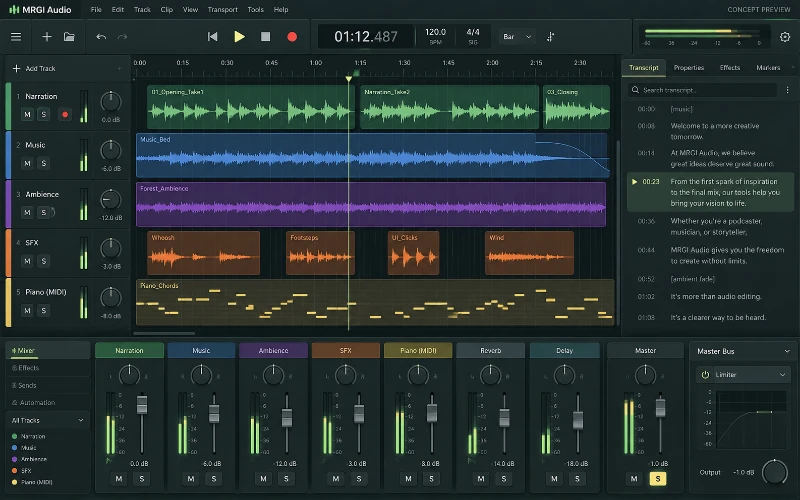
Audio editing & mixing
Record, arrange, edit, and mix audio tracks with effects and automation. Connect production work to transcripts, language versions, and usage records.
 CONCEPT PREVIEW
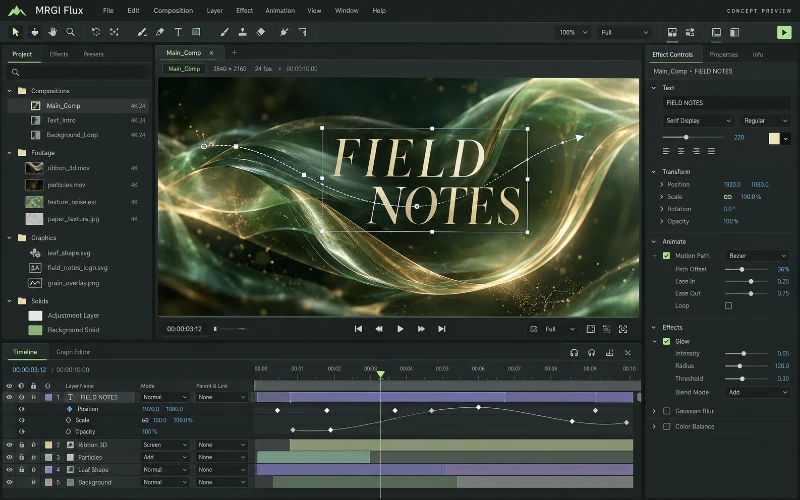
Motion graphics & compositing
Animate text, shapes, and effects with layers and keyframes. Build reusable motion templates whose content can come from approved datasets.
 CONCEPT PREVIEW
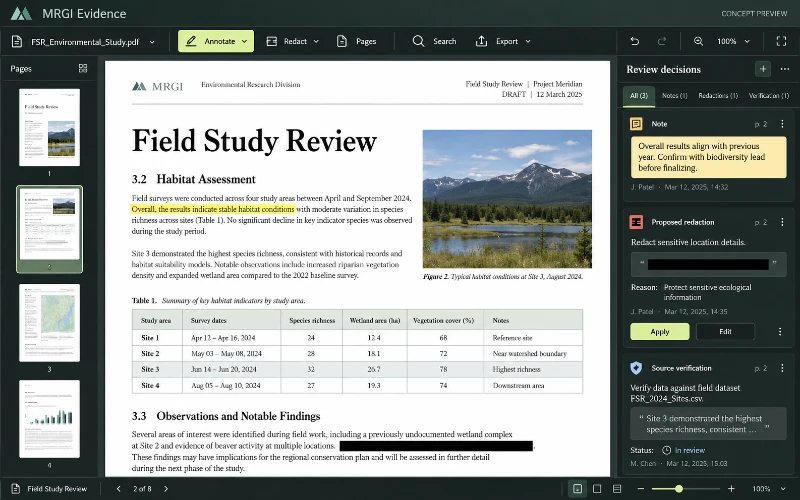
PDF editing & review
Read, annotate, organize, and redact PDFs. Assemble reviewed documents and their sources into a verifiable evidence packet.
BUILT ON OPEN-SOURCE FOUNDATIONS
Multitrack timelines, effects, audio mixing, and codec/interchange crates exist in FilmCraft. Review-bound delivery packages are the proposed MRGI focus. Read the source credits ↗
MRGI MOTION / COMING SOON
Explore the suite today. Availability and pricing will follow.