
Snapshots with an identity
Bind downstream reports to a specific reviewed dataset. A later workbook edit should not silently change an approved publication.
MRGI GRID / SPREADSHEETS & CALCULATIONS
COMING SOONBuild spreadsheets with formulas, tables, and charts. Review calculations and share approved data snapshots with reports and presentations.
For operations teams, analysts, and report owners who need repeatable data handoffs.
Try the interactive demo Browse all 15 appsMEET THE WORKSPACE
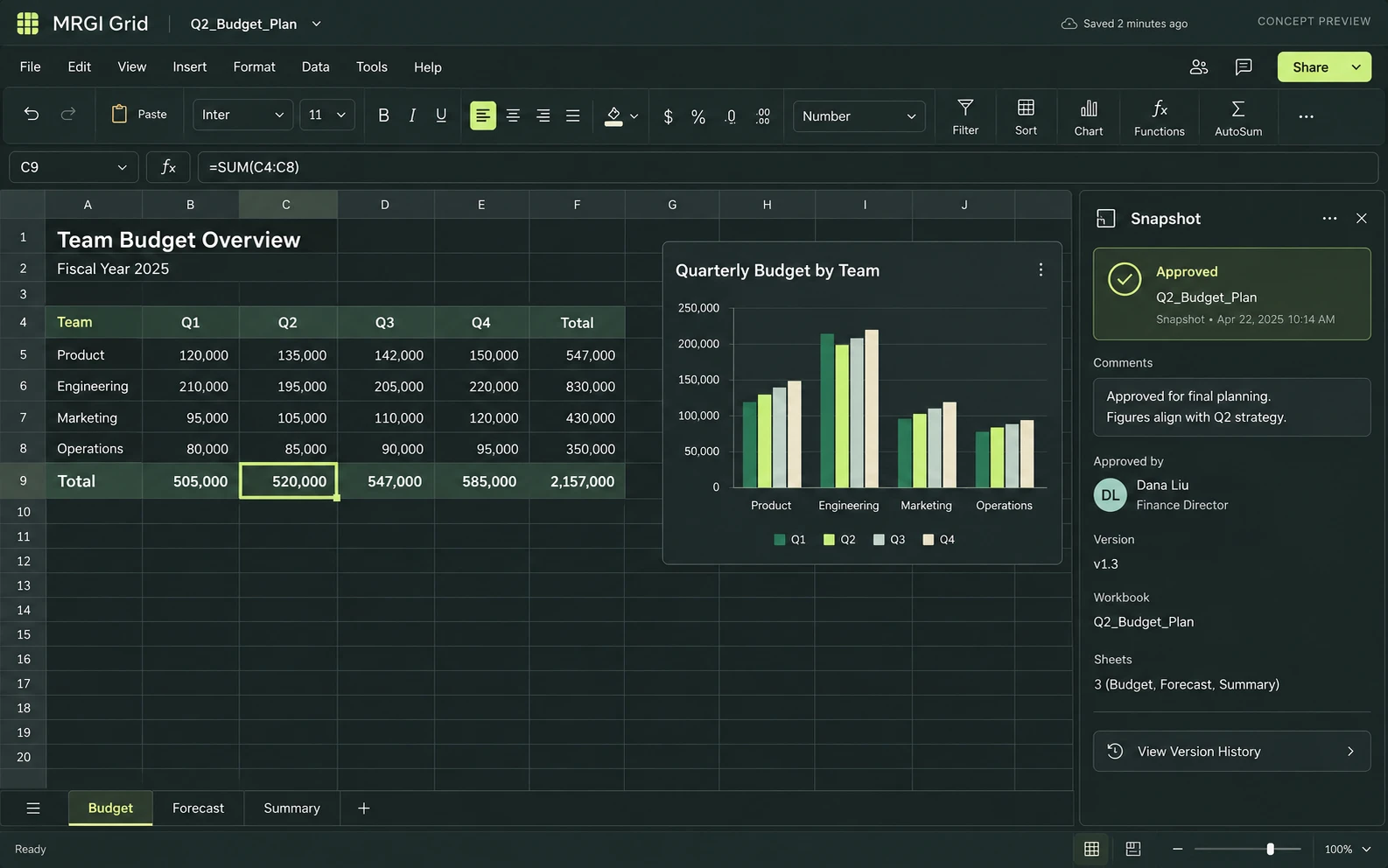
A familiar spreadsheet grid with formulas, charts, and multiple sheets, alongside the proposed snapshot review panel.
Proposed design with synthetic content. This is not a released application; features and appearance may change.
EXPLORE THE IDEA / HANDS ON
Adjust an input, approve a snapshot, then change the input again to see the approved version stay fixed.
Adjust an input, approve a snapshot, then change the input again to see the approved version stay fixed.
Synthetic inputs. Local computation. No uploads.This is a three-row JavaScript calculation, not the Grid spreadsheet engine or an external-data connector.
Read the full Grid workflow guide| Team | April | May | June |
|---|---|---|---|
| North studio | 24 | 32 | 38 |
| Field team | 18 | 26 | 30 |
| Research lab | 36 | 48 | 52 |
| Total | 78 | 106 | 120 |
PROPOSED AUTOMATION RECIPE
Send approved tables to Author, chart data to Present, or a reviewed dataset to Layout.
Select an authorized input and transformation recipe.
Review calculations and changes since the prior snapshot.
Offer the approved snapshot to the next application.
Original interface mockup with synthetic content. This is a design concept, not a screenshot of a released application. Switch views to explore the proposed workflow.
01 / THE WORK BEHIND THE WORK
A number copied into a report quickly loses its history. Grid is being designed to make the handoff explicit: select the input, review the transformation, and publish a named snapshot that other applications can reference.
The source foundation is imported. Full calculation lineage, external connectors, and the redesigned Grid interface are planned.
02 / THE PLANNED TOOLKIT
The intended Grid experience.
Feature availability will be confirmed before release.
A CLOSER LOOK / FEATURE DESIGN
Explore the behavior behind the feature names: what the product would do, and what the reviewer would still need to decide.
Give report and presentation authors a reviewed version of the figures while analysis continues.
03 / THE MRGI DIRECTION
Three product-specific priorities shaping the proposed MRGI experience.
Bind downstream reports to a specific reviewed dataset. A later workbook edit should not silently change an approved publication.
Show where a table came from and which transformations produced it, so another analyst can understand and reproduce the work.
Plan connectors around explicit resource access, review points, and repeatable recipes instead of unattended edits across arbitrary systems.
These are development goals, not claims of shipped features or market exclusivity. AI, local operation, and automation are shared foundations—not the entire product distinction.
04 / BETTER CONNECTED
Send approved tables to Author, chart data to Present, or a reviewed dataset to Layout.
Select an authorized input and transformation recipe.
Review calculations and changes since the prior snapshot.
Offer the approved snapshot to the next application.
Planned assistance can explain a formula or propose a transformation. Proposed changes remain visible and reviewable before the snapshot is approved.
Cross-app access is planned around selected resources and explicit consent. Ordinary local editing should not require uploading your files.
 CONCEPT PREVIEW
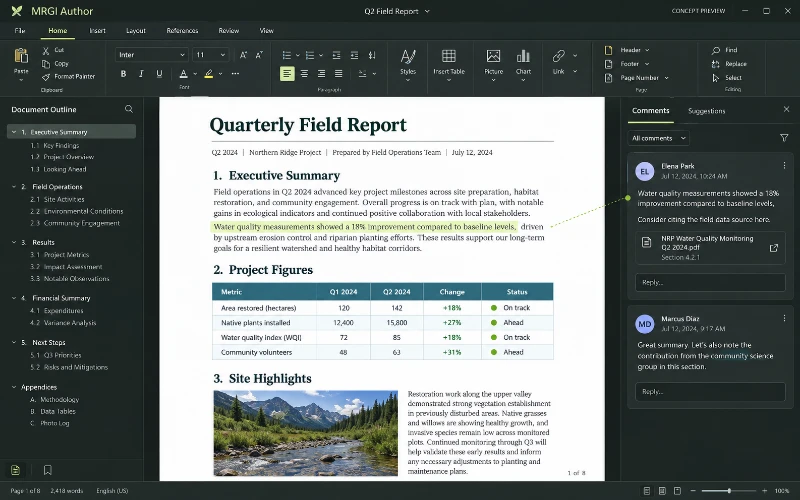
Word processing
Write and format documents with headings, tables, images, comments, and revisions. Link report content to reviewed data and source documents.
 CONCEPT PREVIEW
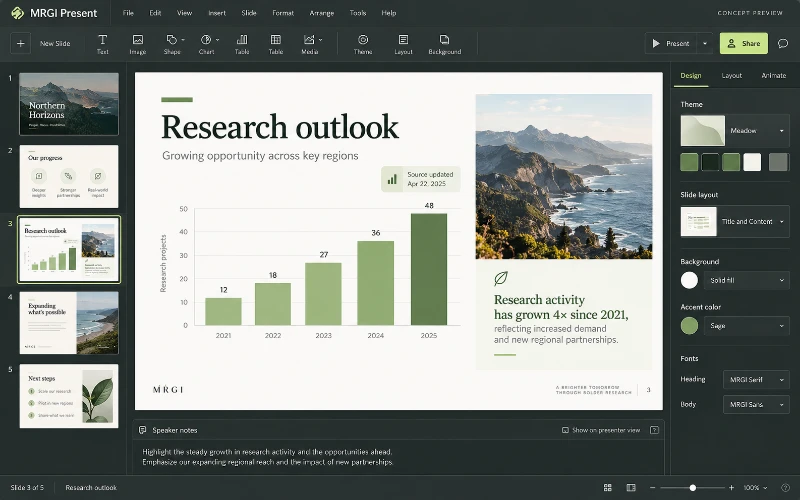
Slide presentations
Design presentations with slide layouts, text, images, charts, and speaker notes. Refresh approved source data while preserving your chosen edits.
 CONCEPT PREVIEW
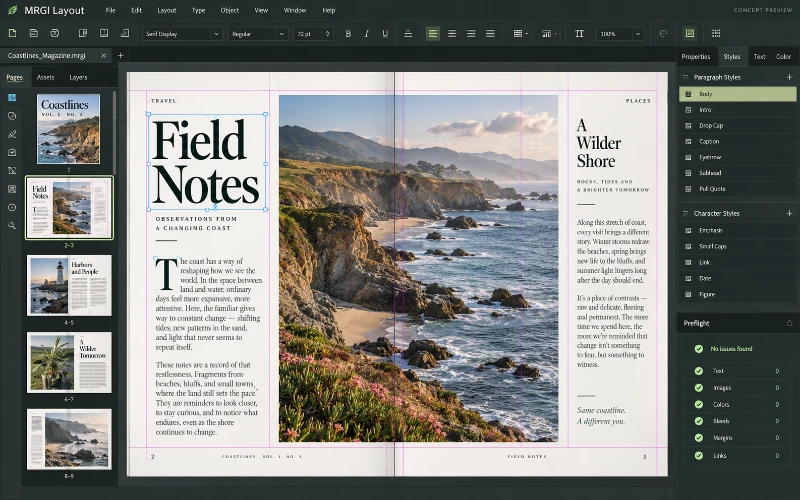
Page layout & publishing
Design magazines, brochures, catalogs, and other page-based documents. Arrange typography and images, then populate reusable layouts with approved data.
BUILT ON OPEN-SOURCE FOUNDATIONS
Workbook models, formulas, calculation, CSV/XLSX, charts, and automation exist in GridCraft. Governed snapshot publishing is the proposed MRGI focus. Read the source credits ↗
MRGI GRID / COMING SOON
Explore the suite today. Availability and pricing will follow.